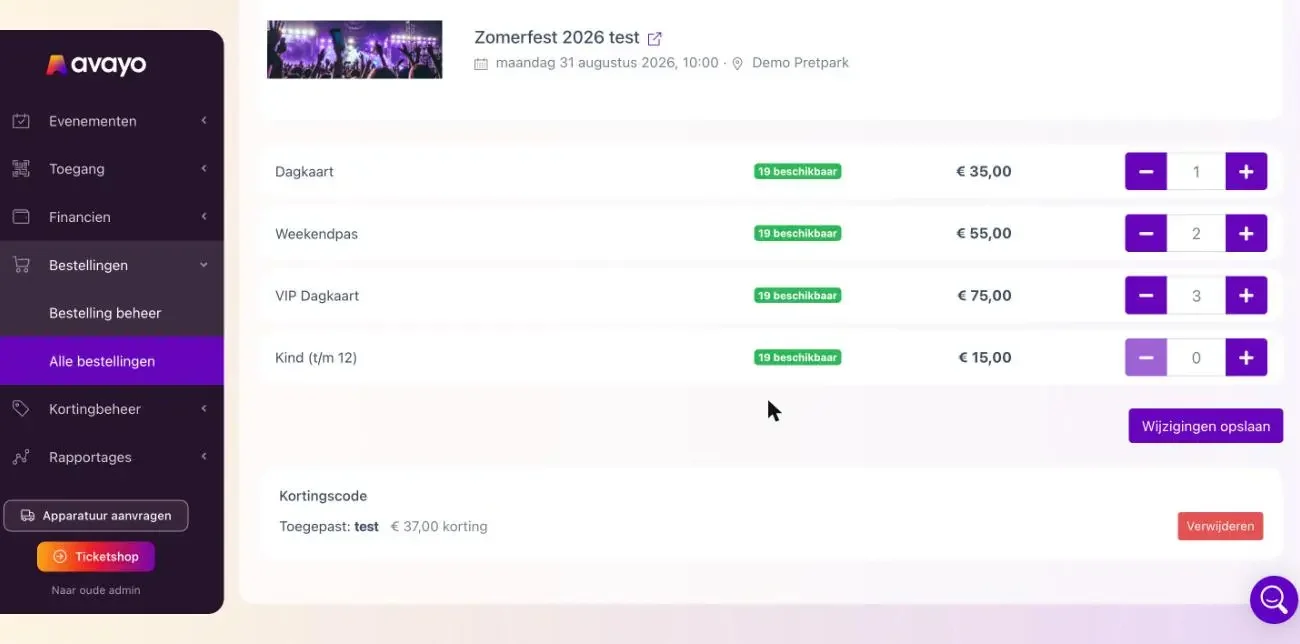
Editing reservations in Admin 2.0 has been expanded. With Edit reservation, you now open a separate screen where you can easily adjust the quantities per ticket type.
Next to each ticket type, you can immediately see how many tickets are still available. Saving is stock-safe: if the change no longer fits within the available capacity, the update is rolled back and the reservation stays as it was.
You can also add or remove a discount code in the same screen. The discount is shown directly next to the code.
Working with a seating plan? The seating plan now opens with the reservation’s current seats already selected. This makes it easy to add seats, release seats or reassign them using best available seats.